Refresh by plan
- Free: about every 12 hours
- Starter: about every 4 hours
- Pro: about every 2 hours
This is how often tracked items are re-checked. It is not a live feed.
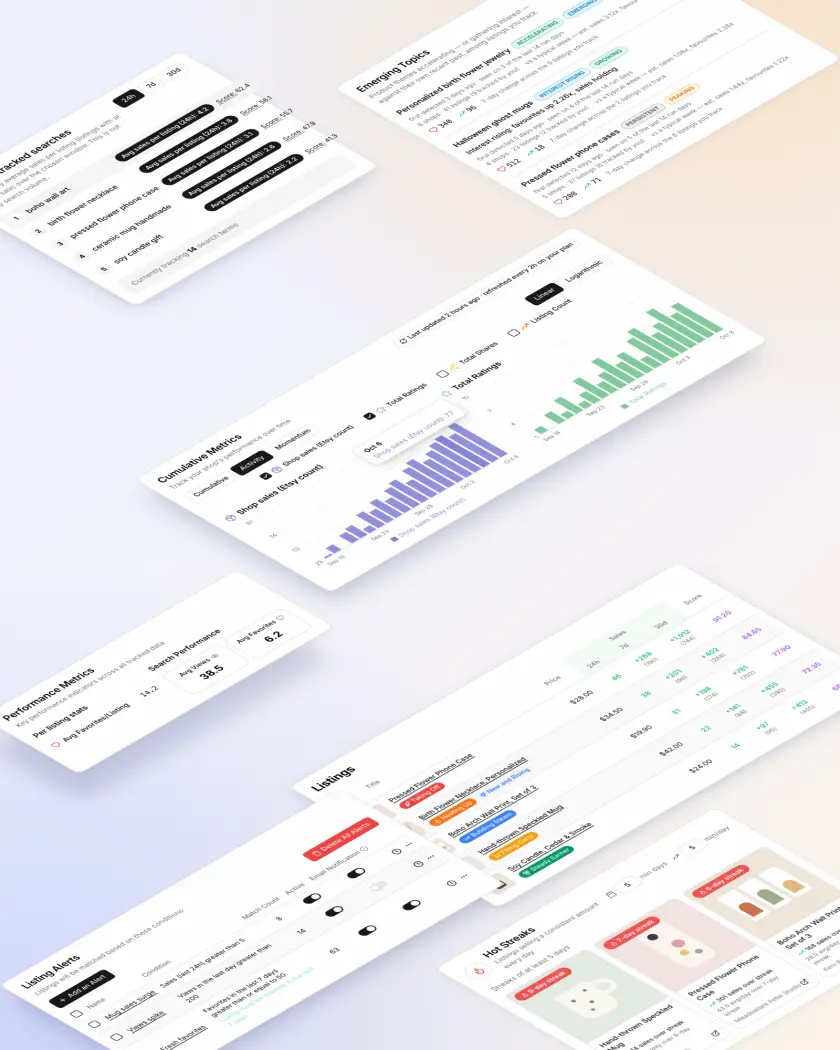
Track the Etsy shops, listings and search terms you choose. Nicheva keeps the history and shows estimated daily sales, favorites and views for every listing, so you can tell one that is actually selling from one that only looks busy.
| Views | Favorites | Sold Count | |||||||||
|---|---|---|---|---|---|---|---|---|---|---|---|
| Title | Price | Cur | 1d | 7d | Cur | 1d | 7d | Cur | 1d | 7d | Updated |
Custom Cat Mom Sweatshirt, Personalized Pet Name Hoodie PurrfectThreadsCoFilling CartsEtsy Popular | $32.00 | 1,842 | +64 | +412 | 96 | +3 | +18 | 211 | 4 | +19 | 41m ago |
Retro Sunset Van Life Camping Mug, Wanderlust Gift TrailMugCoTaking OffNew and Rising | $18.50 | 3,260 | +210 | +1,340 | 288 | +11 | +58 | 74 | 9 | +38 | 38m ago |
Minimalist Line Art Mountain Print, Boho Wall Decor Set of 3 “boho wall art”Steady Earner | $24.00 | 6,410 | +140 | +1,020 | 812 | +9 | +64 | 4,120 | 12 | +79 | 3h ago |
Funny Dog Dad Est. Custom Year Tumbler, Personalized Pet Gift OakAndPawDesignsEarly BuzzComeback | $21.99 | 512 | +88 | +310 | 34 | +6 | +21 | 12 | 3 | +9 | 12m ago |
A cluster of graphic t-shirts and hoodies featuring retro sunset and van silhouette designs. The last 7 days ran well above the prior 21-day baseline, with favorites and estimated sales both climbing.
This is a coded recreation of the Nicheva dashboard using sample data, not a record of real Etsy listings or sales.
Independent tool, not affiliated with Etsy, Inc. Figures shown are modelled estimates.
Print-on-demand niches turn over fast. A phrase catches on, a few shops ride it, and by the time it looks obvious the results page is already full.
Checking shops by hand shows you what a listing looks like today. It can’t show you whether it sold more than yesterday, or whether it is pulling ahead of the listings around it. That is the part Nicheva keeps track of.
A listing’s public sold count only ever goes up, and Etsy never publishes what sold today. Nicheva keeps its own history of everything you track, so daily movement is something you can actually look at.
Add the Etsy shops, listings and search terms you care about. Nicheva re-checks them on your plan's schedule, about every 12 hours on Free and every 2 hours on Pro, and keeps every check.
Etsy doesn't publish daily sales for a listing, so Nicheva models them. Every tracked listing shows an estimated 24-hour sales figure next to its views and favorites, plus 7-day and 30-day totals and an average per day.
A listing that just started climbing is a different opportunity from one that has sold steadily all month. Each listing gets a plain-English label, so you can sort a whole niche at a glance.
You don’t have to sit in a dashboard. Nicheva watches your tracked listings on a schedule, and tells you when something changes.
Set a condition once — sales, favorites or views crossing a number over an hour, a day, 7 days or 30 days. Alerts are checked every 10 minutes against the latest data collected, and the matches land in your inbox. Pro allows 50 alerts.
New matches and ongoing matches are marked separately, so a listing that keeps matching doesn't keep reading as fresh news.
This is how often tracked items are re-checked. It is not a live feed.
Every tracked shop, listing and search term gets a chart of how it changed, by the hour or by the day.
If anyone on a faster plan tracks the same shop or listing you do, it refreshes at that faster rate, for you too.
Nicheva groups the listings you track into product themes, then compares each theme’s last 7 days with the 21 days before it. You find out which themes are speeding up against their own past — not just which ones are already big.
Listings are clustered by what they actually are: the same motif across different shops, the same occasion across different products.
A theme is “emerging” because its own last 7 days beat its own previous 21 — so a small niche speeding up doesn’t get buried under a big one standing still.
Every topic comes with sample listings from the cluster, so you can see the actual products behind the name.
A cluster of graphic t-shirts and hoodies featuring retro sunset and van silhouette designs. The last 7 days ran well above the prior 21-day baseline, with favorites and estimated sales both climbing.
Ceramic and acrylic ornaments memorializing pets, personalized with name and photo. Too new for a 21-day baseline, but favorites are already moving from a near-zero base.
Rebuilt from Nicheva’s own dashboard. Topics and figures are sample data.
Emerging Topics is rebuilt once a day, in the early morning, from the listings in your workspace.
The names and one-paragraph summaries are written by a language model; which themes qualify is decided by the numbers.
Topics appear on your dashboard as soon as you’re tracking enough listings for a theme to form.
We are building a research pipeline that takes a trending topic and works it through six stages, ending in a scored brief you can act on. It is not part of any plan today.
Trying it on a few shops
One shop watching its niche
Full-time sellers tracking several niches
Teams and multi-shop operations
| What you get | Free | Starter | Pro | Enterprise |
|---|---|---|---|---|
| Tracked shops | 3 | 10 | 25 | Unlimited |
| Tracked search terms | 3 | 10 | 25 | Unlimited |
| Listing alerts | 3 | 10 | 50 | Unlimited |
| Listings per search term | 50 | 250 | 500 | Up to 1,000 |
| Automatic refresh | About every 12 hours | About every 4 hours | About every 2 hours | Fastest available |
| Manual refreshes per day | 6 | 40 | 100 | Unlimited |
The Free plan needs no card. Paid plans start with a 14-day trial that asks for a payment method, then renew monthly or annually until you cancel. Prices in USD, before any tax. Paddle.com is the merchant of record and handles payment, invoicing and tax. Changed your mind? Ask within 14 days of a charge for a full refund. See the refund policy.
Nicheva regularly re-checks the shops, listings and search terms you track and records how they change over time. Sales figures are modelled estimates produced by Nicheva's own model from those changes. They are not supplied by Etsy and are not a record of actual sales.
No. Etsy does not publish daily sales for a listing, so every daily sales figure in Nicheva is a modelled estimate produced by Nicheva. Hover over a figure in the app to see where it came from. Lifetime sold counts, favorites and views come from what is publicly visible on the listing. Use the estimates to compare listings and spot movement, not as a record of actual sales.
Every tracked listing that clears a minimum level of daily activity gets one of six labels: Taking Off, Filling Carts, Heating Up, Early Buzz, Building Steam or Steady Earner, plus badges such as Comeback or New and Rising where they apply. Each label is explained in the Features section of this page and inside the app.
Nicheva groups the listings you track into product themes and compares each theme's last 7 days against the 21 days before. Themes running ahead of their own past appear on your dashboard with a short name, a summary, the shops and listings behind them, and a status: Emerging, Growing, Peaking or Declining. It is rebuilt once a day, in the early morning.
No. Nicheva is an independent tool. It is not affiliated with, endorsed by, or sponsored by Etsy, Inc.
It depends on your plan: about every 12 hours on Free, every 4 hours on Starter and every 2 hours on Pro. You can also trigger a limited number of manual refreshes each day. Alerts are checked every 10 minutes against the latest data collected. Emerging Topics is rebuilt once a day.
Not for the Free plan. Paid plans start with a 14-day trial, which does ask for a payment method. You can cancel from the billing page.